
Security Phone Cleaner
NGAT-NGATTools
4.46.00 Reviews
- Version
- 1.0.5
- Installs
- 100.00K
- Age Rating
- Everyone
Screenshots
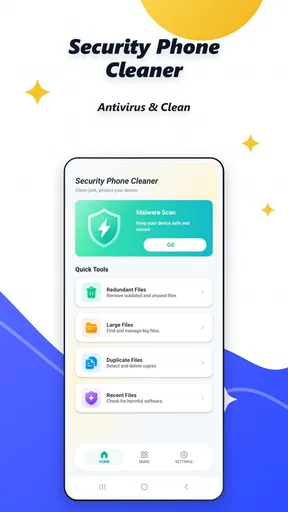
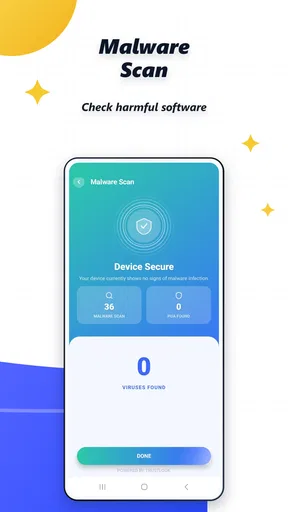
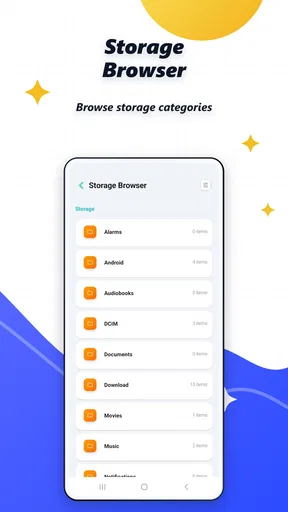
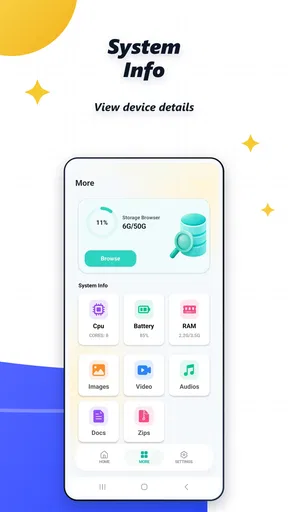
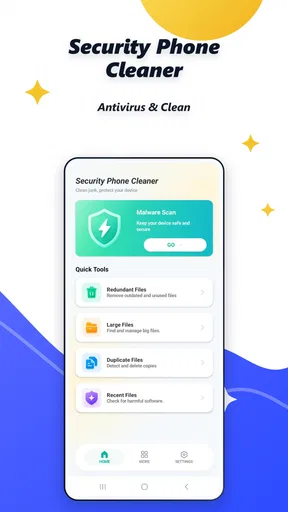
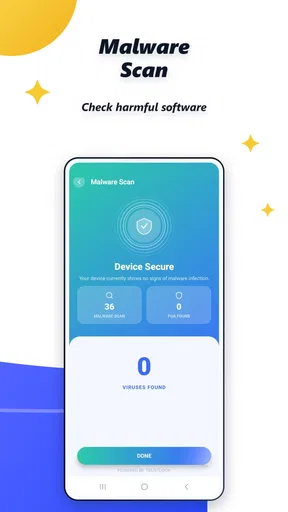
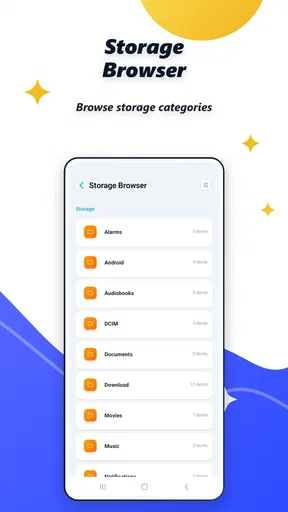
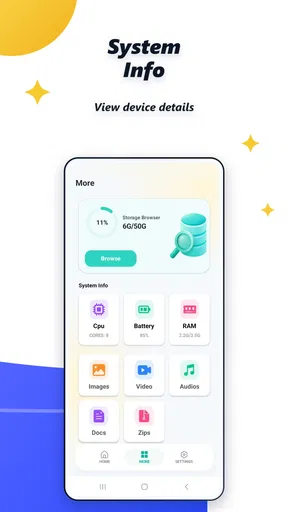
Our Review of Security Phone Cleaner
 Analysis by Appyee
I approached Security Phone Cleaner as a practical tools app rather than assuming that a single utility could solve every security and storage problem on a phone. Its purpose is clear from the name: it brings security scanning and phone-cleaning tasks into one place. That combination can be convenient, especially when I want a quick check without moving between several utilities, but it also deserves a careful look because cleaner and antivirus apps often ask users to trust them with access to sensitive parts of a device.
Developed by NGAT-NGAT, the app is free and aimed at everyone. It has reached over one hundred thousand installs and holds a 4.4 average from around two thousand eight hundred ratings, which suggests that many people find the basic idea useful. I would still treat those figures as a starting point, not a substitute for checking what the app actually asks me to do on my own phone. A security tool earns trust through understandable choices, restrained requests, and clear results—not through its name alone.
What the app feels like in everyday use
The most appealing part of this app is the promise of a simple routine: open one tool, look for security concerns, check for removable clutter, and decide what deserves attention. That is more approachable than manually searching through folders, installed apps, browser leftovers, and system settings. For someone who wants a straightforward maintenance habit, this focused layout can be easier to understand than a collection of unrelated Android utilities.
I can imagine using it after downloading several apps for a trip or after noticing that a phone has become crowded with forgotten files. Instead of immediately deleting things one by one, I would first use the cleaner to identify what it considers unnecessary, then inspect the proposed items before confirming anything. That second step matters. A cleaner’s definition of “junk” is not automatically the same as mine, and a file that looks disposable may still be useful.
The security side is similarly best treated as a checking aid rather than a complete replacement for careful phone habits. A scan can draw attention to suspicious or unwanted software, but it cannot make unsafe links, fake login pages, or careless sharing decisions harmless. I would use the app as one layer in a broader routine that includes installing apps from reputable sources, reviewing permissions, keeping Android updated, and removing software I no longer recognize.
The current release is version 1.0.5 and supports Android 7.0 or later. That broad compatibility is helpful for people using older phones, although older devices may have different security capabilities and performance limits from newer ones. On a modest handset, I would avoid running several demanding maintenance tools at the same time. A cleaner is most useful when it reduces friction, not when it becomes another background burden.
Trust starts with what the app asks me to approve
Because this is a security-oriented tool, I would pay close attention during setup rather than tapping through every prompt. The important question is not simply whether a permission sounds related to cleaning. It is whether the request makes sense for the action I am trying to perform at that moment. A storage-related task may reasonably need access to files, while an unrelated request deserves more scrutiny.
I also prefer granting access only when needed. If Android presents a choice between limited access, selected items, or broader access, I would choose the narrowest option that still lets me complete the task. This approach keeps the user in control and makes it easier to understand why a permission was granted. If a feature does not work without an expansive permission, that is useful information when deciding whether the convenience is worth the trade-off.
There is a practical trust test I use with any cleaner: can I see what will be removed before it disappears? I would look for item names, locations, categories, or another meaningful explanation rather than accepting a large “clean everything” action blindly. If the app groups files into a broad category, I would expand that category where possible and preserve anything connected to work, travel, photos, downloads, or offline access.
Another good habit is to take note of the screen that appears immediately before a scan or cleanup begins. I want to know whether the app distinguishes between finding an item and deleting it. Those are different operations. A trustworthy workflow should allow me to review findings and make the final decision myself, especially when the app is handling personal files.
Where security and privacy decisions become important
A phone cleaner can encounter information that is more personal than its simple interface suggests. Installed applications reveal something about my habits, storage contents can include documents and images, and security checks may involve examining app-related details. That does not automatically make the tool unsafe, but it does mean I would read the privacy information and permission explanations before giving broad access.
I would also separate the app’s useful functions from any optional extras. If a screen encourages me to enable notifications, install an additional component, or change a system setting, I would pause and decide whether that feature is necessary. Security tools sometimes become less comfortable when they turn routine maintenance into a stream of alerts. I prefer notifications that explain a specific event over vague warnings that pressure me to act immediately.
Account control is another point I would check. If the app can be used without creating an account, that is generally more convenient for a one-off cleaning task and avoids adding another login to manage. If an account screen appears, I would look at what it is for, whether it is optional, and how I could sign out or remove the account later. I would not enter personal details merely to run a basic local check unless the reason is clear.
These choices are especially relevant for a tool marketed around security. The app should help me understand my device, not replace my judgement with unexplained urgency. I would be cautious of any result that uses dramatic language without identifying the item involved or offering a sensible next action. A useful warning tells me what was found and why it matters; a vague warning mainly creates anxiety.
A careful cleaning workflow that avoids accidental loss
My preferred workflow would begin with an inspection-only pass. I would run the relevant check, sort through the results, and separate obvious temporary material from anything I might need later. Downloads, duplicate-looking files, large videos, and application leftovers can all require different decisions. I would not assume that a large file is unwanted simply because it consumes space.
Before confirming deletion, I would open or identify important files through the phone’s normal file tools when possible. This is a small extra step, but it prevents a common mistake: removing an item because its name is unfamiliar. I would be particularly careful with folders associated with messaging, navigation, editing, or offline media. Cleaner suggestions are useful for prioritizing attention, not for outsourcing every decision.
A second non-obvious tip is to clean in small batches. Rather than selecting every recommendation at once, I would remove only the items I understand, then check whether the phone still behaves normally. If something changes unexpectedly, a smaller batch makes it easier to identify the cause. This is also a sensible approach on phones shared with family members, where one person may not know why another person saved a file.
I would also avoid treating repeated scans as proof that the phone is becoming healthier. A scan can report items that are newly created or newly visible, and some cached content may return because applications need it. The useful measure is whether I recovered meaningful space or resolved a specific concern—not whether the app can always find something to remove.
How I would use the security checks without overestimating them
For security, I would run a check after installing unfamiliar software, especially if the app came from a source I do not normally use. I would then inspect the result and compare it with my own knowledge of the installed application. If a warning concerns something I intentionally installed, I would research it before deleting or disabling anything. A false alarm or an overly broad recommendation can be just as inconvenient as a missed problem.
I would not use this app as my only defense against account theft. It cannot replace unique passwords, two-step verification, careful handling of messages, or checking the address of a website before signing in. If my main concern is protecting online accounts, a password manager and the security controls built into those accounts may be a better priority. If my concern is simply freeing storage, the phone’s built-in storage manager may offer a more direct and familiar route.
That comparison is important. Built-in Android tools usually have the advantage of being closely integrated with the operating system and may present storage categories in a way that feels less intrusive. A dedicated cleaner can be more convenient if I want security and cleanup in one interface, but convenience is not the same as superior detection. I would choose this app when its combined workflow saves me time, not because I expect it to outperform every specialized alternative.
For a technically confident user, a manual file manager may provide better visibility and finer control. For someone who wants guided suggestions, Security Phone Cleaner may feel less intimidating. The trade-off is that guided tools can hide decisions behind categories and buttons, so I would favor the option that explains more, even if it takes an extra tap.
Who will benefit, and who should choose something else
I think this app is a reasonable fit for people who want a single, accessible place to review phone clutter and perform a basic security-oriented check. It may also suit users who are uncomfortable navigating several Android settings screens. The free price lowers the barrier to trying it, and the everyone age rating makes it approachable for a broad audience.
I would be more cautious about recommending it to someone who stores irreplaceable work files on the phone and expects automatic cleanup to be completely risk-free. That person should prefer manual review, backups, and tools with very transparent file handling. I would also steer highly privacy-conscious users toward whichever option requires the least access for their particular task, whether that is a built-in system feature or a narrowly focused utility.
It is not the right choice for someone seeking a full mobile-security suite with extensive account protection, advanced network monitoring, or professional incident analysis. The app’s appeal is its focused, everyday maintenance role. Expecting it to replace every security layer would create unrealistic confidence.
One useful routine is to use it only when there is a clear reason: after a period of heavy downloading, when storage is genuinely tight, or after installing software that deserves a closer look. I would not grant broad access permanently just because the app offers a scheduled or repeated check. Periodic, intentional use gives me more control and reduces the chance of approving an action without remembering why.
My cautious verdict
After looking at Security Phone Cleaner as both a convenience tool and a trust-sensitive app, I see a sensible role for it, provided I remain involved in every important decision. Its strongest idea is the combination of cleaning and security checks in one approachable package. That can make routine maintenance easier for people who would otherwise ignore storage warnings or avoid security settings altogether.
Its limitations are just as important: a scan result needs interpretation, a cleanup suggestion needs review, and security protection is broader than anything one utility can provide. I would keep backups of valuable files, inspect permissions and privacy choices, and avoid approving sweeping actions without seeing what they affect. Those habits matter more than any single button in the interface.
With a 4.4 average and over one hundred thousand installs, the app has attracted meaningful interest, while its free availability makes a cautious trial straightforward. My recommendation is therefore conditional but positive: try it if you want an uncomplicated Android tools app for occasional cleanup and basic security checks, and keep it only if its explanations and permission requests feel proportionate on your device. The best way to use Security Phone Cleaner is as an assistant whose suggestions I verify, not as an authority that makes every phone decision for me.
Verdict
Strengths of Security Phone Cleaner
- Quickly identifies junk files and unused data.
- Simple interface makes cleaning easy for beginners.
- Can help free storage space on older devices.
- Useful tools for reviewing large or duplicate files.
- Runs on demand without requiring constant background access.
Limitations of Security Phone Cleaner
- Cleaning results may include files you still want to keep.
- Some features may be restricted behind a subscription.
- Frequent ads can interrupt the cleaning process.
- Performance benefits may be limited on newer phones.
- Privacy claims should be checked before granting storage access.
Similar Picks in This Category
View All
Google LLC4.0

Gboard - the Google Keyboard
Google LLC4.5

Google Play services
Google LLC4.3

Google Play Store
Google LLC4.9

Files by Google
Google LLC4.5

SHAREit: Transfer, Share Files
Smart Media4U Technology Pte.Ltd.4.3
Frequently Asked Questions
What is Security Phone Cleaner, and what does it do?
Security Phone Cleaner is designed to help maintain an Android device by scanning for unnecessary files, cached data, leftover installation packages, and potentially unwanted items. It may also include tools for checking storage usage, improving available space, and monitoring basic security-related risks. Its exact features can vary by version, so users should review the in-app descriptions and permissions before relying on it as a complete security solution.
Is Security Phone Cleaner safe to install and use?
The app should be downloaded only from a trusted official store or a verified developer source. During installation, carefully review the permissions it requests, especially access to files, applications, notifications, or device settings. A cleaner can require storage access to scan files, but it should not need excessive permissions unrelated to its main purpose. Avoid granting access that seems unnecessary, and keep your device and the application updated.
Can Security Phone Cleaner really improve my phone’s performance?
Security Phone Cleaner may help when your device is running low on storage by removing temporary files, old downloads, duplicate items, or application leftovers. However, deleting cache does not always produce a noticeable speed improvement, and repeatedly clearing cache can make some apps load more slowly at first. Performance problems can also come from outdated software, battery wear, or demanding background apps that a cleaner cannot fully resolve.
Will Security Phone Cleaner delete my personal photos, videos, or important files?
A cleaning tool can identify files that appear unnecessary, but automated recommendations are not always perfect. Before confirming a cleanup, inspect the selected categories and check whether personal media, documents, downloads, or messaging attachments are included. Create a backup of important files before using deep-cleaning features, and prefer manual selection when available. Do not approve deletion prompts without reading the details carefully.
Does Security Phone Cleaner replace antivirus or protect my accounts?
A phone-cleaning application should not automatically be considered a full antivirus, privacy monitor, or identity-protection service. It may scan for suspicious files or offer basic security checks, but it cannot guarantee protection from phishing, unsafe websites, stolen passwords, or fraudulent applications. Continue using your device’s built-in security features, install apps from reputable stores, keep software updated, and use strong, unique passwords with two-factor authentication.
